Creative Video Editing Professional

  • High Demand In Digital Content: Video editors are needed for social media, youtube, marketing, advertising, education, business branding, and influencer content.
  • Creative And Freelance-friendly Skill: Video editing is useful for learners who want to work with creators, brands, agencies, companies, or freelance clients.
  • Build A Professional Video Portfolio: Learners can create reels, shorts, ads, youtube videos, promotional clips, and simple showreel projects.
1 Month ₹9,999 ₹7,999

Join 1995+ students who have already benefited from this course.
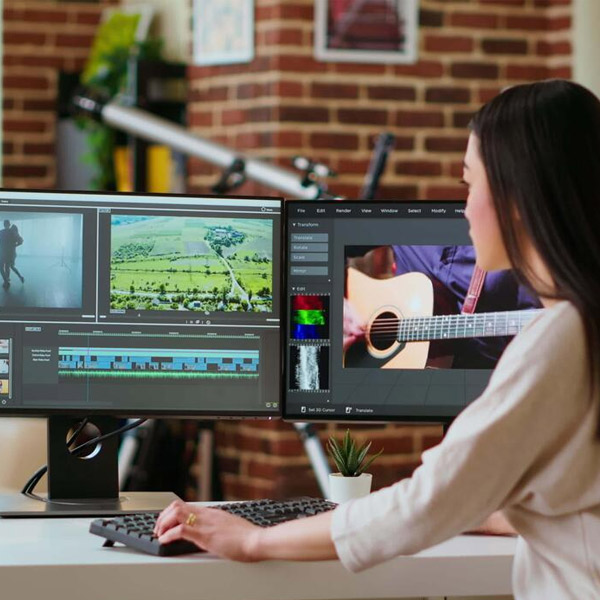
Creative Video Editing Professional
Limited Seats Available

Upgrade Your Skills
With Industry Ready Courses

Enroll Now

Fast onboarding • Secure • AI-powered experience
Enrollment submitted successfully.

Enrollment Successful 🎉


Course Overview

Video Editing is a creative media skill where learners transform raw footage into professional videos for social media, YouTube, advertisements, reels, and business promotions. This 1 month course helps learners build a strong foundation in timeline editing, trimming, splitting, text, subtitles, audio editing, transitions, effects, color correction basics, keyframe animation basics, export settings, and beginner-level video projects.

Course with Live Project

No Refund Available

timeline editing foundation: learners edit videos by importing media, arranging clips, trimming, splitting, removing unwanted sections, and creating smooth video sequences.

audio, text, effects, and color basics: work with background music, voiceovers, subtitles, sound effects, transitions, filters, brightness, contrast, and basic keyframe animation.

Beginner-level Video Projects: Develop Practical Projects Like Instagram Reels, Youtube Shorts, Promotional Videos, Social Media Stories, And Short Video Edits.

Course Content

  • understanding video editing interface
  • navigating editing workspace properly
  • understanding timeline and preview panel
  • learning basic editing tool functions
  • managing project files and media
  • understanding video editing workflow

  • importing media into project
  • understanding timeline editing basics
  • arranging video clips properly
  • splitting and trimming video clips
  • rearranging clips on timeline
  • removing unwanted video sections
  • creating smooth video sequence

  • adding text to video
  • styling text with fonts
  • creating titles and lower thirds
  • adding subtitles to video
  • designing basic motion graphics
  • placing text on correct timing
  • creating video intro titles

  • adding background music tracks
  • adjusting audio volume levels
  • adding sound effects properly
  • recording and adding voiceovers
  • syncing audio with video clips
  • removing unwanted audio sections
  • balancing music and voice

  • applying transitions between clips
  • customizing video transition effects
  • applying color filters properly
  • adjusting brightness and contrast
  • adding visual effects creatively
  • using keyframe animation basics
  • creating custom transition effects

  • understanding video export settings
  • learning video formats and resolutions
  • exporting videos for instagram
  • exporting videos for youtube
  • exporting videos for facebook
  • planning engaging video content
  • sharing final edited videos

  • create a short edited video using trimming, splitting, rearranging clips, background music, and basic transitions.
  • create a social media reel or short story using text, subtitles, sound effects, color filters, and platform-based export settings.

  • short promotional video / social media reel editing

  • adobe premiere pro
  • capcut
  • filmora
  • canva video basics
  • audio editing tools
  • stock music resources
  • video format settings
  • social media export presets

Skills Developed with Video Editing Course

Editing Fundamentals: Understand video editing workflow, timeline tools, preview panels, editing terminology, project files, and media organization.
Timeline Editing: Practice importing, arranging, trimming, splitting, rearranging clips, removing gaps, and creating smooth video sequences.
Basic Storytelling: Learn video flow, pacing, simple cuts, scene order, viewer engagement, and short-form video structure.
Text And Titles: Create titles, lower thirds, captions, subtitles, intro text, outro screens, and social media text overlays.
Audio Editing: Work with background music, voiceovers, sound effects, audio levels, syncing, and smooth audio transitions.
Transitions And Effects: Apply transitions, visual effects, zoom effects, blur effects, filters, and creative video enhancements.
Keyframe Animation Basics: Create simple motion effects, animated text, zoom movement, pan effects, and dynamic visual edits.
Color Correction Basics: Adjust brightness, contrast, color balance, filters, visual tone, and basic cinematic looks.
Platform-based Editing: Create instagram reels, youtube shorts, facebook videos, stories, ads, and platform-ready exports.
Portfolio And Showreel Basics: Organize edited projects, create short video samples, present editing work, and prepare beginner-level portfolio videos.

Career Opportunities after Video Editing Course

This course opens doors to multiple high-demand career paths across industries.

Video Editing Intern:

Support editing teams by trimming clips, adding text, subtitles, music, effects, and basic transitions.

Social Media Video Editor Beginner Role:

Create reels, shorts, stories, captions-based videos, and platform-specific video content.

Youtube Editing Assistant:

Edit basic youtube videos, intros, outros, subtitles, callouts, music, and export-ready video files.

Promotional Video Assistant:

Create product videos, offer videos, brand promotion clips, explainer videos, and marketing video edits.

Freelance Video Editing Beginner:

Work on small projects for creators, brands, influencers, businesses, and online clients.

Why Enroll in Video Editing with Solitaire Learning?

Beginner-friendly Editing Training: The course starts from basic editing workflow and gradually moves toward audio, subtitles, effects, color correction, and exports.
Practical Project-based Learning: Learners work on real video tasks like reels, youtube shorts, promotional clips, social media stories, and short video edits.
Industry-relevant Editing Tools: The course covers adobe premiere pro basics, capcut, filmora, canva video basics, audio tools, stock resources, and export settings.
Mentor-guided Showreel Support: Learners receive mentor guidance to create edited video samples, organize portfolio work, and prepare beginner-level showreels.
Strong Foundation For Advanced Editing: The course builds a solid base before moving into 45 days, 2 months, 3 months, 4 months, or 6 months video editing programs.
Frequently Asked Questions

Have Questions About This Course?

Find answers to the most common questions learners ask before enrolling.

No, beginners can join without prior editing experience. The course starts with editing basics and gradually moves toward transitions, effects, color correction, audio editing, and professional projects.

A laptop with at least 8GB RAM, i3/i5 processor, and good storage is recommended for basic to intermediate editing. For advanced editing, 16GB RAM and better graphics support are helpful.

No, a camera is not mandatory. Learners can practice with provided footage, stock videos, mobile-recorded clips, or sample project files.

No, editing tools are taught from basics during training. Learners gradually understand interface, timeline editing, text, audio, effects, transitions, and export settings.

Yes, learners from any educational background can join Video Editing. The course is suitable for creative learners, content creators, marketers, freelancers, and beginners interested in video production.

Video Editing is the process of arranging, cutting, trimming, adding audio, text, effects, transitions, and color correction to create a complete video. It is used for reels, YouTube videos, advertisements, films, promos, and social media content.

Video Editing is important because businesses, creators, influencers, and brands use video content for marketing, education, entertainment, and promotion. Well-edited videos help attract attention and improve audience engagement.

Beginners can start by learning editing workflow, timeline tools, trimming, splitting, text, subtitles, music, transitions, effects, and export settings. Practice with short videos and reels helps improve editing skills quickly.

Video Editors create reels, YouTube videos, promotional videos, advertisements, short films, explainer videos, and social media content. They improve raw footage by adding structure, sound, graphics, effects, and final polish.

Common tools used in Video Editing include Adobe Premiere Pro, CapCut, Filmora, Canva Video, audio editing tools, stock music resources, sound effects resources, and export preset tools.

Yes, Video Editing is very useful for social media, YouTube, digital marketing, influencer content, brand promotion, and short-form content creation. It is one of the most practical creative skills today.

Yes, learners work on Instagram reels, YouTube shorts, long-form YouTube videos, promotional videos, and platform-based export settings. The course focuses on creating content for real digital platforms.

Yes, the course includes background music, sound effects, voiceovers, audio balancing, subtitles, captions, lower thirds, and text-based video graphics. These skills help create polished and engaging videos.

Yes, Video Editing is a strong career option because demand is high in digital marketing, YouTube content, advertising, media production, education, and social media industries. Skilled editors can work in companies or freelance.

Yes, learners receive mentor guidance to create edited video projects, organize portfolio work, build a professional showreel, and present video editing work for jobs or freelance clients.
Course FAQ

Ready to Take the Next Step in Your Career?

Join our expert-led training program, gain industry-recognized skills, and move closer to your professional goals. Seats are limited — enroll today!

Recommended Courses for You

👉 Search courses here!!